DRG Clinic

☰ Staff & Shifts

Workers, supervisors, weekly duty roster, daily attendance and leave.

Try it free Sample reports

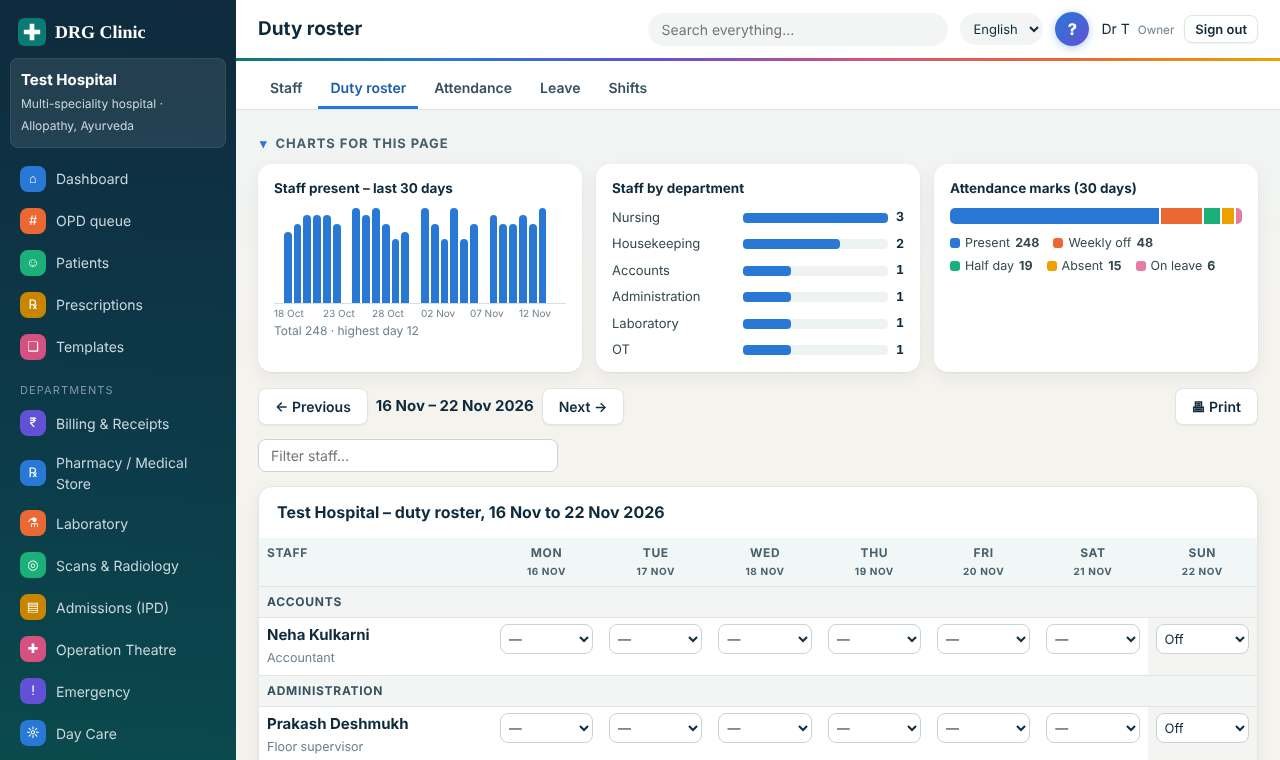
Staff & Shifts screen in DRG Clinic

What you can do

Staff

The register of staff – part of Staff & Shifts.

  • Search looks through every text column.
  • “New staff member” adds a record; “Export CSV” downloads the list for Excel.
  • Use Edit to change a record and Delete to remove it.

Duty roster

The duty roster for one week.

  • Choose a shift for each person and day, then save.
  • “Copy last week” repeats the previous week.
  • Approved leave and weekly offs are shaded.

Attendance

Mark attendance for one day.

  • Unmarked days start with everyone present, except weekly off and approved leave.
  • The last column counts the month so far.

Leave

The register of leave requests – part of Staff & Shifts.

  • Search looks through every text column.
  • “New leave request” adds a record; “Export CSV” downloads the list for Excel.
  • Use Edit to change a record and Delete to remove it.

Shifts

The register of shifts – part of Staff & Shifts.

  • Search looks through every text column.
  • “New shift” adds a record; “Export CSV” downloads the list for Excel.
  • Use Edit to change a record and Delete to remove it.
Who can open it

Owner · Administrator · Supervisor

Also included

Search, CSV export, charts above the list, help on every page, activity log, 4 languages.

Other departments

See it working with sample data.

Register your clinic